Disclaimer: Knowledge of current (Dec 2025) trends in Gen AI usage is assumed. If you’re completely unfamiliar with AI Agents and MCP Servers, you may want to read up on the concepts first – ask the AI Assistant of your choice for an introduction!
Abstract
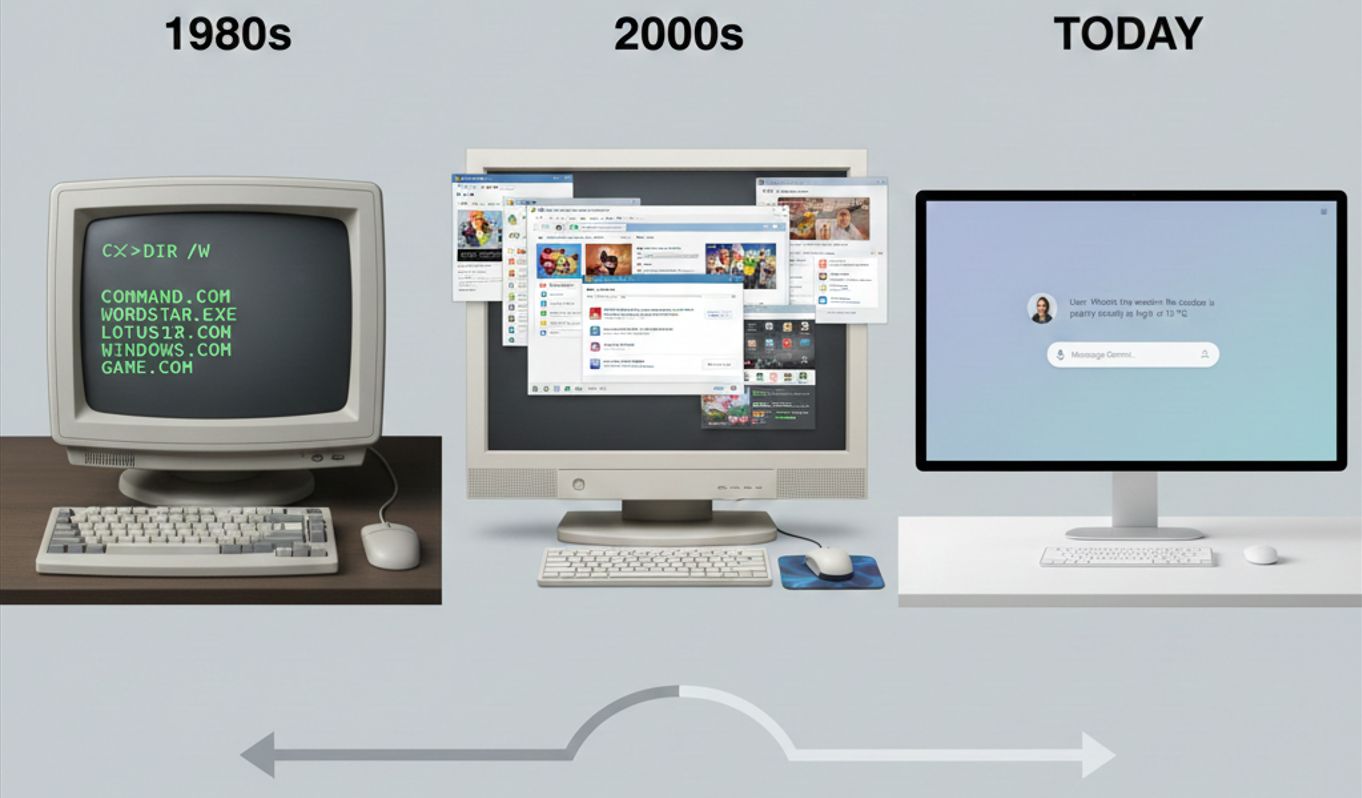
AI chat bots don’t rely on an elaborate user interface – a single input field and an output stream capable of displaying images is all it takes to communicate almost everything a website could. With the dawn of agentic AI, functionality previously nested deep in an app’s UI, spread out over multiple pages can be abstracted away. This allows users to focus on valuable work, instead of bothering with learning an app’s handling.
Premise
Ever had to design a user adoption campaign? Create numerous trainings, guides, tutorials, videos, demos on how an app can be used, how its complicated, specific UI has to be navigated to just be able to work with it?
Or to start your journey at a new company with a few days of onboarding to such tools?
Ever thought „if this wasn’t enterprise-mandated, no one would use it“, or actually stopped using an app yourself because the UI just drove you nuts?
Enter Agentic AI
Agentic AI may have the final answer to the above concerns. Because one of the fundamental principles of LLMs is their ability to understand natural language. This inherently renders them accessible and approachable in a way traditional webapps can only dream of. It’s no coincidence Gemini, ChatGPT, Claude etc. all have the same webpage – they don’t need anything else than a single text input field for a user to access everything they offer. Be it simple text generation, or full agentic workflows that span several steps and may include calls to APIs (via MCP servers) of various applications.
The Key to abstraction: MCP Servers
And it’s in the last part of that phrase that lies „the death of the traditional UI“ – the Model Context Protocol (MCP) has entered the stage only in late 2024 but is already a ubiquitous component of roadmaps, backlogs, and in an increasing number of cases already part of the service offering. Because the essential and most transformative capability an MCP server provides is to render an application’s API accessible to an AI Agent, giving it the ability to call those API endpoints to retrieve information (similar in concept, though notably different in implementation to RAG) or even to write information – be it creating a defect item in an issue tracker, sending out a message on your behalf, or flatout booking a vacation based on a small input of when & where you’d like to go. Where there’s an API, the door is already halfway open to AI Agents.
Logical Conclusion
Back to the original dilemma then: onboarding, training, getting familiar with a UI – none of these create value. They’re there to teach people how to use a certain system. But people usually know what they want to do on the system, and can articulate their goals. If you can take this articulation, feed it to an LLM which itself knows how it can use the system to achieve this, you can free an enormous amount of time for your users and allow them to spend their time on more valuable things – an easy sell to your manager and a relatively nicely quantifiable efficiency improvement to put on your CV.
Implementation
Assuming you’re convinced to at least consider leveraging these technologies, let me indulge you in how this can be achieved with relative ease.
Let’s assume your company uses a legacy issue management system, with a relatively comprehensive API. How could you practically leverage Agentic AI and MCP servers to reduce the time our users spend clicking through a graphical user interface?
- Choose relevant API endpoints to expose as MCP Server tools
Every tool you make available will be included in every prompt to the LLM. If you add too many, models can become overwhelmed and just as importantly, the cost per inference call increases. Not all of your app’s API endpoints will be equally relevant! - Create your MCP Server
An MCP server can at its simplest simply be a proxy to your app’s API, which adds metadata to endpoints that helps the LLM judge when to use which one, and communicates over the required protocol.
As of writing this article, Python, TypeScript, Java, C# and more languages are already supported with libraries to set up an MCP server and add tools in a few lines each. Check out modelcontextprotocol.io for detailed and advanced documentation. - Connect a client chat app
This last implementation step can be a hurdle – as of writing, mainstream AI chat apps like ChatGPT or Gemini don’t allow adding random MCP Servers. This capability is currently mostly reserved for developer-tools like VSCode Chat or Gemini / Github Copilot / Claude’s CLIs.
However, remember the main thesis of the article: you only ever need a very simple UI. It can be a very short path to getting up a running chat app with something like streamlit in Python, which you can combine with an MCP Client that lets you connect to MCP Servers, making its tools, which proxy your app’s API endpoints, available to the LLM.
Warning: You can invest a lot of time in creating this UI, but that’s exactly what you should avoid, lest you risk going back to overthinking and overcomplicating things for your users.
And mind that the landscape in what’s available in vendor solutions is changing rapidly, as with everything that revolves around AI!
Verdict
The shift away from complicated UIs and towards natural language as the main interface with applications seems inevitable, and you want to be the one claiming responsibility for it in your company.