Interactive Notebook 3 (finale) – STUGA2
[You guessed it, I don’t have a name]’s goals for this module have been (more or less) reached!
So, a lot happened in the past week. By a lot I mean that I did 2 weeks worth of Unity work in 3 days. Which was to be expected considering that I constantly postponed the beginning of the programming phase. Which gave me more time to use in the conceptualization and assets creation, but it also meant that I had to cut out some features I wanted to include. Some of which were quite fundamental ad that forced me to find some workarounds.
In any case, let’s go in order.
Unity misadventures
I had to be realistic and sacrifice some goal I had in mind at the beginning of the project. First of all, I went from aiming for three functioning puzzles to just one. Although the concepts are there and they are going to be the next thing I will work on. The second sacrifice was the main room computer mechanic. The idea was that, to access a puzzle, the player was supposed to type words on the computer. Definitely impossible to do with the time that was left. I nonetheless wanted to add some sort of connection between the computer and the puzzle room to indicate that the feature will eventually exist and be coherent with the concept of the project.
Once the new goals were established I started by reworking the main shader in Unity ShaderGraph. Now, the result is… mildly satisfactory. I still think it doesn’t feel the same and I can’t decide if it’s better or worse. A big problem was the outline shader, which I’ve made using the inverse hull method. And it’s also very different. It looks somewhat incomplete compared to the grease pencil of Blender. Again, I can’t decide if it’s better or worse. I feel like this version of the visual design is much more chaotic and confusing, which is not exactly what I was aiming for. To get a more similar effect on the outline, I would have had needed to write shaders directly in the URP pipeline. But as you may have guessed: no time for that (and no clue where to even start). I’ve also lost a bit of time in the process because I’ve completely forgot about the existence of UV maps and UV unwrapping. Thanks to the help of my classmates, I was able to fix the problems there and get back on track.
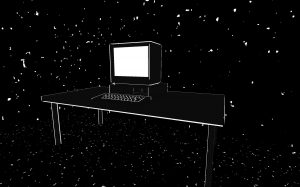
My FPS Controller already worked at this point, so now it was a matter of building everything together and program the first puzzle. Here, the unjustifiable long moments spent starting at the Unity documentation came to the rescue. I was able to program the puzzle in about a day and connect it to the main room. With some tricks here and there, I was also able to add some sense of progression to this demo of a demo. And just like that (and with lots of tears), I was done. 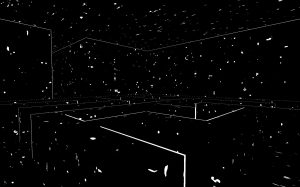
Conclusion of this project and thoughts about it
It was fun until I had to work in Unity.
The goal was to answer this question:
“Can I find a process that allows me to translate my writing into game language?”
The answer is yes. But with some question marks.
First of all, I feel like I was able to create and environment capable of evoking that mood and structure of my notebook where I store my texts. The translation of text into mechanics works in this context and even if most of the puzzle concepts were not programmed, I think they are valid for the project. Plus, it’s very expandible.
Now, about the question marks. The constant dilemma, of which I discussed with many people, was: how do I balance my interpretation of my texts into mechanics with the necessity of understanding of the player? Let me rephrase it: can I do whatever I want with my game and ignore what the player wants?
This is still an open question, but the momentary solution was to always find ways to keep the player’s agency alive. Yes, the player might not understand something, but they will at least be sure that they have influence on the environment, so there must be something else waiting to be understood.